The Trade Review Journal
You've Been Missing
- Auto-import of closed trades
- Trade chart at entry + saved chart drawings
- Trade reconstruction from order history (entries/exits, SL/TP, market exits, partial closes)
- Tags and key metrics without an overloaded interface
Free during Early Access
Open a trade → draw on the chart — everything saves automatically.
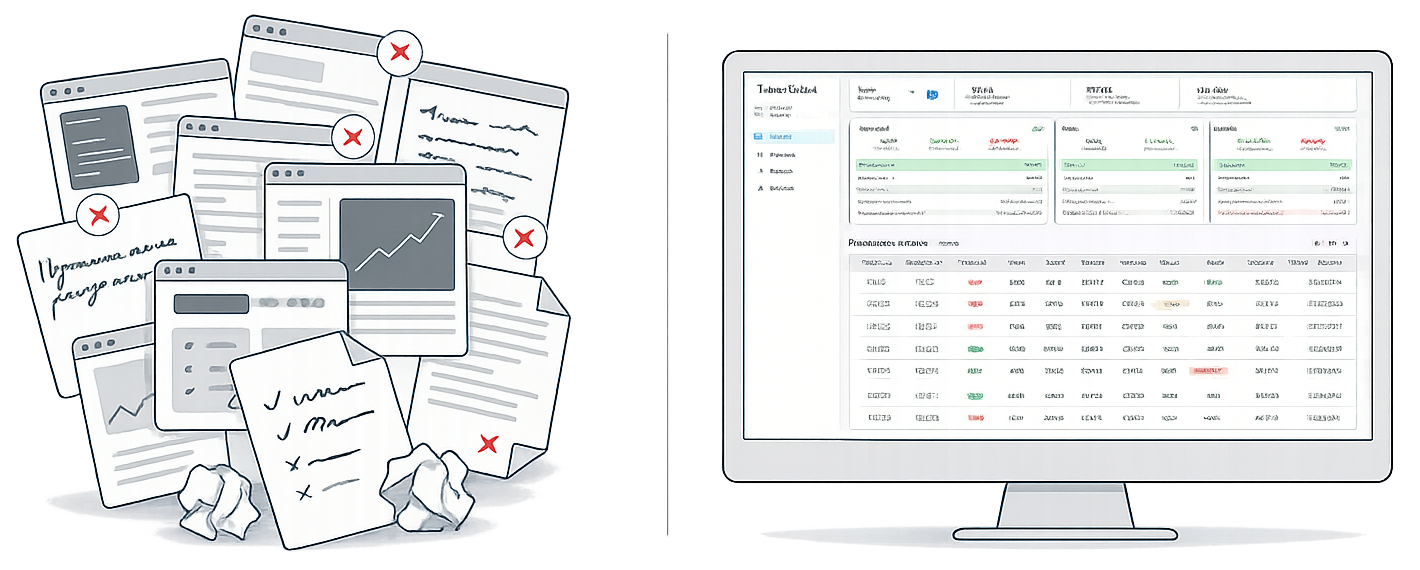
Why a Regular Journal Doesn't Help You Grow
You only see the result (PnL), not the cause.
PnL tells you "how much" but not "why." Looking at a bare number, it's hard to recall the context and draw conclusions.
Screenshots provide no system.
Screenshots are just pictures. You can't build stats from them, filter them, or analyze them systematically.
Real trade structure is lost.
Multiple entries and partial exits turn into chaos.
Tracking drains energy.
Routine kills discipline. When journaling turns into a second job, motivation quickly fades.
Trader’s Clerk returns context and precision — automating the routine.
What Trader’s Clerk Gives You in Practice
Trade analysis — without chaos and screenshots.
Trader’s Clerk restores context and accuracy, minimizing manual entry, and shows key metrics without overhead.
Automatic sync of closed trades
We automatically pull trade history via a secure read-only API connection. Forget manual entry and CSV files.
- You won't miss "inconvenient" or losing trades
- Human error and data entry mistakes are eliminated
- We support delisted coins
Sync runs automatically twice a day or manually in one click.
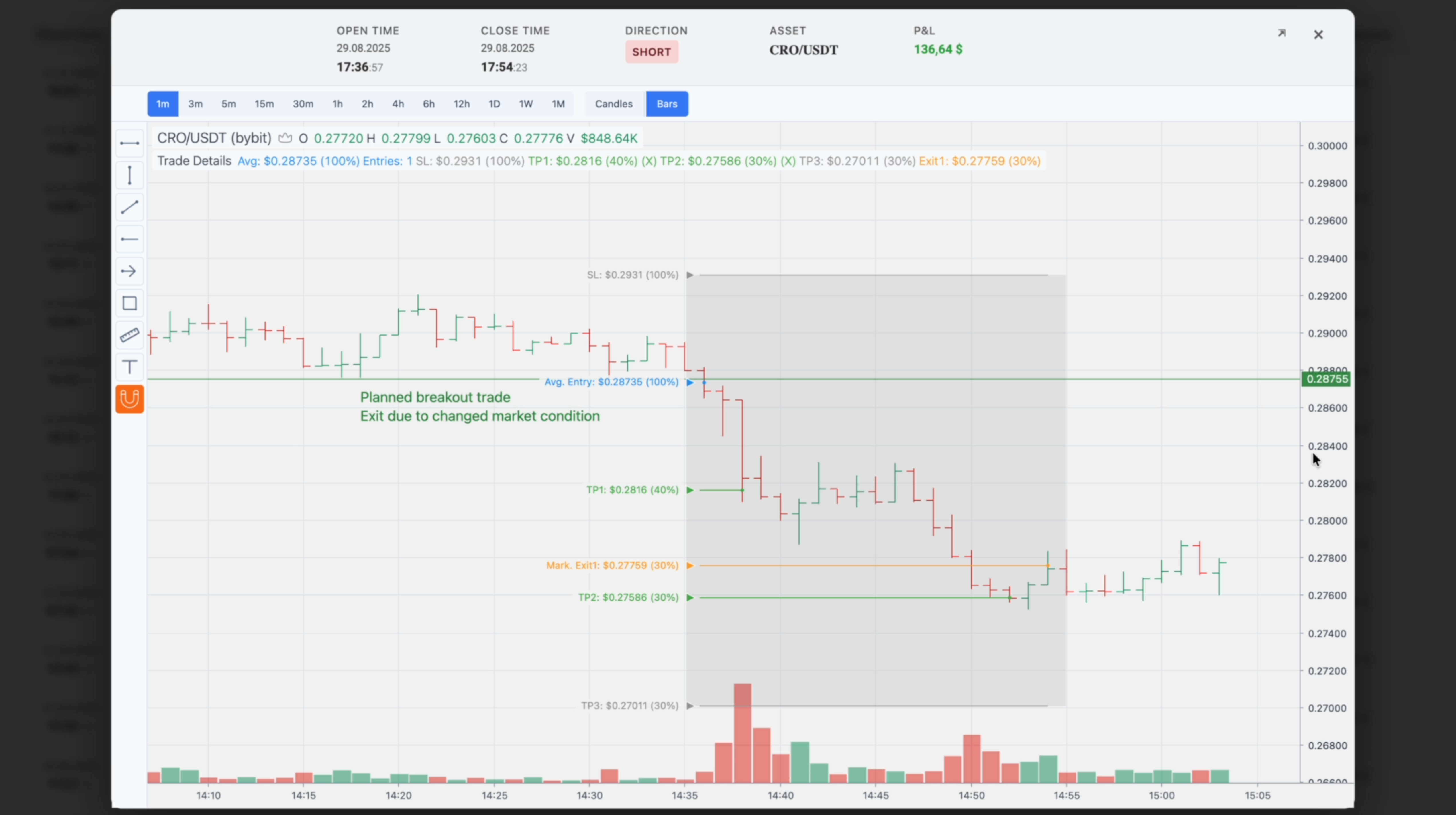
Full context for every trade
Open a trade and instantly see the chart at the exact moment you entered.
- Draw levels, zones, scenarios
- Leave notes on entry/exit logic
- Save chart drawings — they stay in history
Analysis becomes fast and honest.
Restoring the trade logic
The system assembles order history into a single scenario: finds entries and partial exits and automatically recognizes how the trade closed — stop, take profit, or manual market exit.
- Risk and R are calculated with mathematical accuracy
- Time savings + consistent analysis
- Statistics become transparent and analysis-ready
Stop Loss can be adjusted manually if needed.
Tags for classification
Add tags to understand reasons for success or failure.
View statistics not "for all trades", but for specific scenarios.
Only metrics that work
We removed the noise. Left only the numbers that help you make decisions:
- Profit Factor
- Winrate
- Expectancy
- Max Drawdown
- Fees / Funding / Slippage
- Payoff (Avg/Median)
- Metrics in $ and R
- Max Loss
Fewer numbers for the sake of numbers — more meaning.
Clean focus
The interface doesn’t distract; it helps you focus on what matters — analyzing your decisions.
- Calm visual style
- Clear structure
- Focus on trades and conclusions
Secure Connection
- Read-only keys only
- Key can be deleted at any time
- Data is not shared with third parties
More Value. Less Cost.
Trader’s Clerk is a tool for calm, systematic analysis.
| Feature | Trader's Clerk | Other Journals | Excel |
|---|---|---|---|
| Trade Charts | Yes, with entry context | Partially | No |
| Chart drawings | Yes, with auto saving | No | No |
| Trade reconstruction | Yes, Automatic | Partially | No |
| Synchronization | Auto-sync (Bybit, 2×/day) | Available | No |
| Interface | Minimalism | Overloaded | Depends |
| Price | $7.99 | $15–30 | — |
Pricing
Free during Early Access • No card required